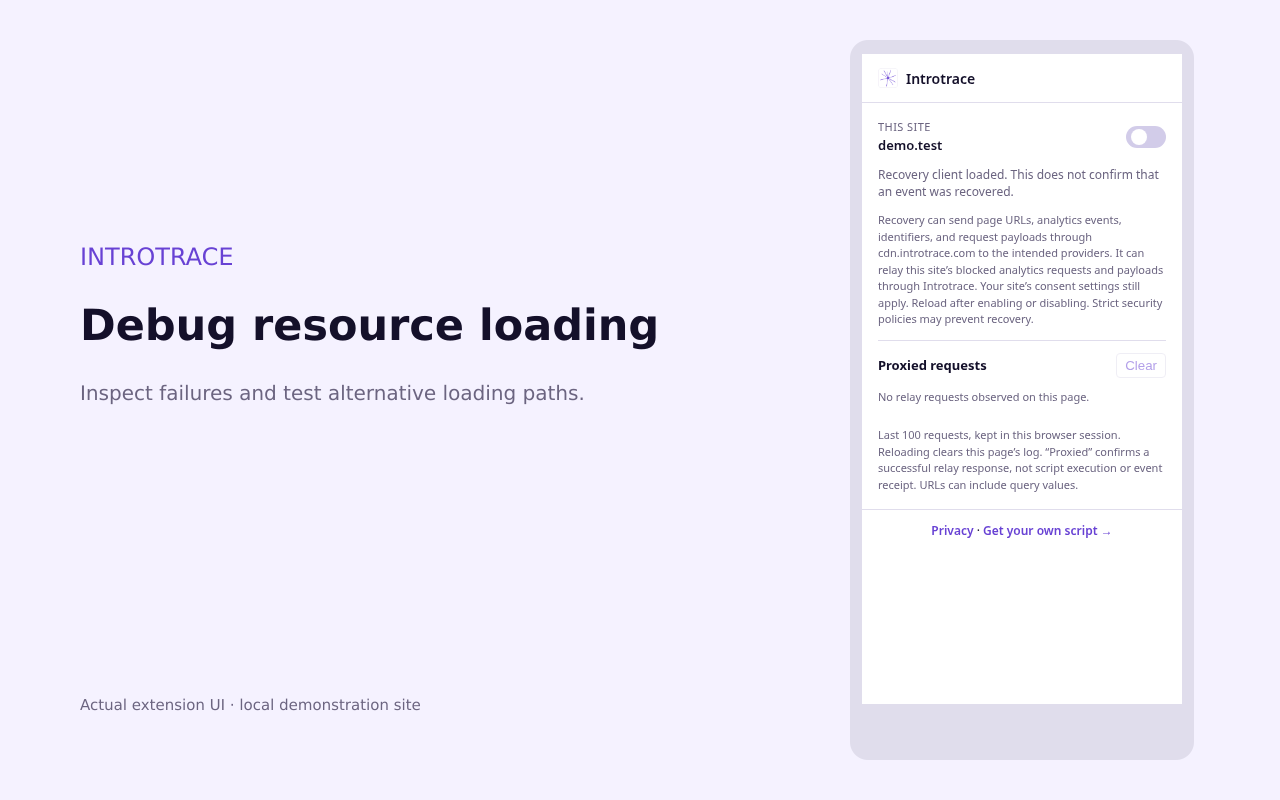
Use a test page and test property where possible. Record your Chrome version, blocker and filter settings, expected event and consent state. Install your blocker separately. If Introtrace is already installed on the website, use a test copy where site-level recovery can be disabled for the first two runs.
01 / BASELINE
Blocking off. Recovery off.
Open DevTools → Network before reloading. Keep Introtrace disabled for the site and turn off your blocker for this test. Perform one action and confirm the expected event in your analytics tool.
02 / REPRODUCE
Blocking on. Recovery off.
Enable your blocker, reload and repeat the same action with the same consent choice. Record the failed request URL and error in DevTools. Check whether the failure is a script download or an event request.
03 / COMPARE
Blocking on. Recovery on.
Open Introtrace, read and accept the transmission disclosure, enable the site and grant access. Reload, repeat the action and inspect relay attempts in the popup. Confirm the event and its parameters in your analytics tool.
For each run, record the original request outcome, any relay outcome, script execution and provider receipt separately. If the baseline fails, fix the installation first. If you cannot reproduce a block, this test has not established a need for recovery.
Repeat with consent declined and check that collection follows the intended consent behaviour. Disable extension recovery and reload when finished. Site CSP or blocker rules can prevent recovery, and unsupported requests may remain blocked.
The linked checklist includes separately recorded Brave results. Those results did not test this Chrome extension.