

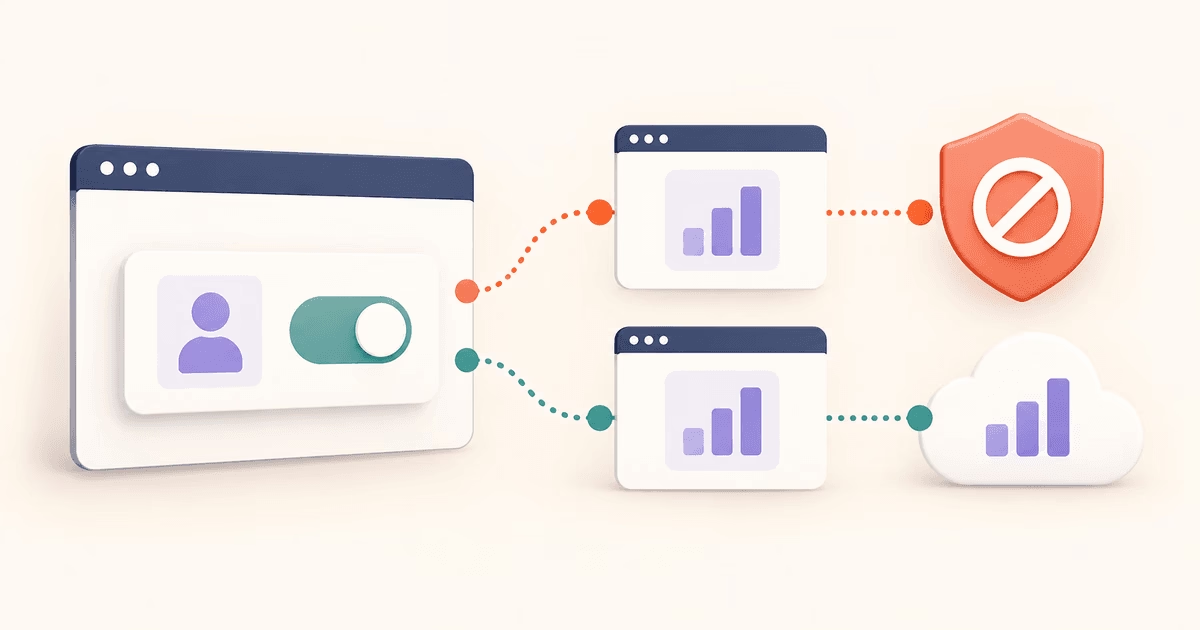
1. The misconception
Consent Mode v2 communicates consent settings to Google tags. Some implementations also support modelled reporting, but that is different from recovering a blocked request. Configure consent and transport as separate parts of your integration.
A working consent integration does not establish that every analytics request arrives. A working recovery path does not establish that collection is permitted. Verify both before interpreting missing data. Our consent testing walkthrough shows how to compare accepted and declined consent with recovery switched on and off.
The core confusion
The same visitor may decline consent and run an ad blocker. Consent settings govern tag behavior; request blocking determines whether a permitted request can reach its destination.
2. What Consent Mode v2 actually does
Strip away the marketing and it's a signaling protocol. The CMP reads what a user picked on the cookie banner and passes that choice along to Google's tags through four parameters:
ad_user_dataWhether the user consents to their data being used for Google advertising purposes.
ad_personalizationWhether the user consents to personalised advertising (remarketing).
analytics_storageWhether GA4 can set and read analytics cookies for this user.
ad_storageWhether Google Ads can set and read advertising cookies.
Google distinguishes basic and advanced Consent Mode. Basic mode prevents Google tags from loading until consent is granted. Advanced mode loads them with consent defaults and may send cookieless measurements when storage is denied. See Google’s Consent Mode overview.
A blocked script or measurement endpoint can prevent observable data from reaching Google. Modelled reports remain estimates; they are not a record of every blocked visit. Google documents eligibility requirements for behavioural modelling.
3. What ad blockers actually do
uBlock Origin, Brave's built-in Shields, Firefox Enhanced Tracking Protection — different tools, same mechanism underneath. A list of blocked domains gets checked against every outgoing request. googletagmanager.com is on it. So is google-analytics.com. Match found, request dropped, and it never leaves the device.
What that visitor actually generates:
- The GA4 script (gtag.js / gtm.js) never downloads
- No GA4 events fire — not even a cookieless ping
- Google receives zero signal from this visitor
- No observed event arrives through this blocked path
The example above describes a blocked GA4 script. A consent banner may still render independently, and outbound event requests may be blocked even when the analytics script loads. Test each request path and consent state.
4. Why they operate at different layers
Request blocking, consent settings, and cookie restrictions can each affect reporting. They overlap, and no single configuration guarantees complete analytics coverage:
- Problem
Ad blocker blocks the request — script never loads
- Solution
First-party proxy (ad blocker recovery)
- Problem
User denies consent — personal data cannot be collected
- Solution
Consent Mode v2 (modeled conversions)
- Problem
Safari ITP / cookie expiry — cross-session identity lost
- Solution
Review cookie lifetimes and attribution; server-set cookies are not a universal fix
Layer two is where Consent Mode v2 operates. Layer one is where ad blocker recovery does. Fixing one tells you nothing about the other.
5. The combination problem
People rarely sort into one clean box. Plenty of visitors run an ad blocker and still click "Accept all." Plenty decline consent with no ad blocker in sight. Combine the two variables and you get four groups actually landing on your site:
| Visitor type | Consent | Ad blocker | Data received |
|---|---|---|---|
| Standard visitor | Accepted | None | Full signal |
| Privacy-conscious | Denied | None | Advanced mode may send a cookieless ping; basic mode sends none |
| Ad blocker user | Accepted | Active | This blocked path sends no observed event |
| Both | Denied | Active | This blocked path sends no observed event |
This table illustrates blocked request paths, rather than a census of visitors or modelled coverage. A visitor’s consent choice and blocker configuration must both be reflected in your tests.
6. What you actually need
Choose each part according to your consent configuration and measured delivery gaps:
Consent Mode v2
Why: Communicates consent settings to Google tags; does not collect consent by itself.
Covers: Google tag behavior under granted and denied consent
Does not cover: Users whose analytics requests were blocked at the network level
Ad blocker recovery
Why: Serves supported blocked scripts and relays supported blocked event requests.
Covers: Users with browser extensions (uBlock Origin, AdBlock Plus) and browser-native blocking (Brave, Firefox ETP)
Does not cover: Consent preferences — does not affect what data you're legally allowed to collect
Neither steps on the other's territory. ad blocker recovery reroutes a blocked signal through the shared CDN or your configured paid-plan subdomain and leaves consent logic untouched — your GA4 and Google Ads tags keep handling consent signals exactly as before. Deny consent and run an ad blocker, and the recovered signal still carries the denied-consent flags. It's a transport fix, not a rules change.
Configure consent settings through your CMP or consent solution. Add recovery where controlled tests show blocked requests, then verify accepted and denied consent alongside event delivery.
Summary
Consent Mode communicates user choices; recovery addresses supported blocked request paths. Modelling estimates activity and recovery forwards existing requests. Neither establishes complete coverage or legal compliance by itself.
The Q2 2025 survey reports ad blocker use among 29.5% of internet users worldwide, not the blocking rate on your site. Consent settings and request blocking are separate parts of the integration; test both before estimating missing data.
Close the network-layer gap
Consent Mode v2 covers users who said no. Introtrace covers the ones whose analytics got blocked no matter what they chose. One script tag, free to start.
Frequently asked questions
Does Google Consent Mode v2 recover data blocked by ad blockers?
Consent Mode adjusts Google tag behavior using consent settings; it does not reroute blocked requests. Blocking may prevent observable data from arriving. Modelled totals are estimates, not recovered copies of each blocked event.
Do I need both Consent Mode v2 and ad blocker recovery?
Use Consent Mode to communicate consent choices to Google tags. Recovery is optional and addresses supported blocked requests. Configure and test consent separately; adding recovery does not provide consent or establish legal compliance.
Does ad blocker recovery conflict with Consent Mode or GDPR?
Recovery changes the request path, while your consent settings still govern what tags may send. Test both accepted and denied consent after installation. Review processing terms and your own consent requirements before deploying.
Does Consent Mode v2 modeled data include blocked users?
Modelled data estimates unobserved activity from eligible observed data; it does not identify or reconstruct each blocked visitor. Missing script downloads or pings can reduce the data available to the model. Eligibility and output depend on your implementation and data thresholds.
What percentage of my analytics gap comes from ad blockers vs consent denials?
Measure your own setup. Global ad blocker adoption is not a site’s loss rate, and users can both block requests and decline consent. Test request delivery and consent behavior separately, then compare equivalent metrics without adding overlapping groups.